
Stake bettors: Export Game Archive JSON, verify with Stakestats

The fastest, most reliable way to export bet history from Stake is a combination approach: copy your Sports Bet ID or direct bet link for individual wagers, download the Game Archive as JSON for bulk records, and pull data through browser extensions or API/Sheets imports if you bet heavily. For tax or audit purposes, the best method is downloading the JSON export, converting it to CSV, and storing it alongside your bet IDs and bank account statements.
TL;DR:
- Manual bet ID copies are the most reliable for dispute resolution, as they point to immutable records unaffected by file truncation or filtering issues.
- Bulk JSON exports can be converted to CSV easily using free online tools or spreadsheet add-ons, providing detailed record-keeping for large betting histories.
- Pagination limits on API and Sheets imports mean high-volume bettors should schedule regular, monthly exports to avoid gaps and maintain accurate records.
- For accurate tax reporting, always include fields such as bet ID, date, stake, payout, net win or loss, settlement status, and deposit or withdrawal transaction IDs.
- Using Stakestats to verify bet results and analyze your betting history enhances record accuracy and helps prepare transparent, audit-ready documents.
Table of Contents
- What's the Best Way to Export Bet History from Stake?
- How Do You Use Stake's Native Export Tools?
- How Do Automated Exports and API Imports Work?
- What Fields Do You Need for Tax-Ready Records?
- How Can Stakestats Help After You Export?
- Author's Take: Where Most Bettors Get Their Records Wrong
- A Practical Next Step: Verify and Analyze What You've Exported
- Where to Go for Official Procedures and Tax Rules
- Sources
- FAQ
What's the Best Way to Export Bet History from Stake?
Not every export method fits every goal, and picking the wrong one wastes time or leaves gaps in your records. Someone proving a single disputed wager needs something completely different from someone reconciling a year of crypto sports betting for a tax return.
- Manual copy (Sports Bet ID or direct link): Best for one-off verification or dispute resolution. It is instant and highly precise, but it does not scale if you place dozens of bets a week.
- Native Game Archive JSON download: Best for bulk, structured records. Stake's help documentation confirms you can download rounds as JSON directly from your account, which you can then convert to CSV for spreadsheet work.
- Browser extensions: Best for bettors who want a running spreadsheet without manual copy-pasting. They scrape the My Bets table automatically but depend on the page staying open and loaded correctly.
- API or Sheets import: Best for high-volume bettors who want a semi-automated, repeatable pipeline. This method has the steepest setup cost but the lowest long-term effort once it is running.
Pagination and per-request limits matter more than most people expect. Community-reported workflows for API and Sheets imports mention caps on the number of wagers per pull, which means a busy bettor might need several requests just to cover one month. When you are gathering audit evidence for a specific dispute, a manual bet ID copy is still the safest bet because it points to one immutable record rather than a bulk file that could be mis-filtered or truncated.
Converting JSON to CSV is simpler than it sounds. Most spreadsheet programs, including Google Sheets, will import a JSON file directly through an add-on, or you can run it through a free online JSON-to-CSV converter, and open the result like any other spreadsheet. Either way, you end up with rows and columns you can sort, filter, and total.
How Do You Use Stake's Native Export Tools?
Stake builds identification and archiving tools directly into the platform, and learning to use them properly saves you from ever needing a third-party workaround for basic recordkeeping.
Step 1: Locate and copy your Sports Bet ID
- Open the Stake app or site and go to Sports > My Bets.
- Choose either the Active or Settled tab depending on the wager's status.
- Open the specific bet slip you want to reference.
- Copy the Sports Bet ID or the direct bet link shown on the slip. Stake's own help documentation confirms this is the intended way to retrieve a durable reference for any wager.
- For multi-bets or parlays, open the multi slip itself, since the copy option for the full slip lives inside that expanded view, not the summary line.
That bet ID is more reliable than a screenshot because it points back to a live, verifiable record rather than a static image that can be cropped, edited, or simply lost. If you ever need to dispute a settlement or double-check a payout months later, the bet ID lets you (or Stake support) pull up the exact wager.
Step 2: Download the Game Archive as JSON
- Navigate to your account's Game Archive section.
- Select the date range or game category you want to pull.
- Download the file, which Stake delivers as JSON format.
- Convert that JSON file to CSV using a spreadsheet import tool or a converter, so you can open it in Excel, Numbers, or Google Sheets.
- Scan the columns for play IDs, multipliers, wager amounts, and timestamps, since these fields form the backbone of any later analysis.
Step 3: Capture what the export misses
The JSON export gives you round-level and game-level data, but it will not automatically break out leg-by-leg detail on a parlay or same-game multi. If you placed a same-game multi, note each leg's odds and outcome by hand, because Stake's settlement rules treat voided legs differently. Stake's own guidance on multi-bet settlement explains that a voided leg settles at x1 odds, which can quietly change your net result if you only look at the final payout line.

Stake's SGM bet tracker and the My Bets page already display a running record of both active and settled bets, which covers a lot of live-tracking needs without touching a spreadsheet at all. For casual bettors, that native view might be all you need day to day. Exporting becomes essential once you want a permanent file outside the platform, whether for taxes or personal analysis.
Pro Tip: Name every exported file with a consistent pattern, something like "stakeexport20260101to20260331.csv." A messy folder of "export (3).json" files is how bettors lose track of what covers which quarter, and that gap is exactly what causes headaches during tax season.
How Do Automated Exports and API Imports Work?
Manual exports work fine for occasional bettors, but if you're placing wagers daily, automation saves real time and reduces the chance of missing a month.
Browser extensions built for bet tracking typically work by reading the My Bets table while it's loaded in your browser and copying the visible rows into a spreadsheet-style format. The basic workflow looks like this:
- Install the extension from your browser's official store and grant it permission to read the Stake tab.
- Load your My Bets page and let the extension scan the visible entries.
- Export or sync the captured rows into a CSV or a connected spreadsheet.
API and JSON imports into Google Sheets follow a different path, aimed more at people comfortable with a bit of technical setup:
- Generate or locate your export credentials inside your Stake account settings.
- Use a Sheets add-on or a simple script to authenticate and pull your bet data in batches.
- Handle pagination carefully. Community-reported workflows note caps around 500 wagers per request, so a heavy bettor may need multiple pulls to cover a single month.
- Map the returned fields (bet ID, stake, payout, timestamp) into columns that match your existing tracking sheet.
Security deserves real attention here. Never paste an account password or session token into a public script, a shared spreadsheet, or a browser extension you haven't vetted. Use read-only access wherever the tool offers it, and keep your exported files backed up somewhere encrypted rather than sitting loose in a downloads folder. A leaked spreadsheet full of stake amounts and payout history is not the kind of thing you want floating around in a shared drive.
Pro Tip: Schedule your exports on a calendar, monthly or quarterly, instead of relying on a live scraper running in the background. Live scraping breaks the moment Stake changes its page layout, and you won't notice the gap until you're missing three weeks of records right before tax season.
What Fields Do You Need for Tax-Ready Records?
The IRS does not care how pretty your spreadsheet looks. It cares whether you can substantiate every dollar you report, and that starts with capturing the right fields the first time.
Keep these columns in every export you save:
- Bet ID or transaction ID — your permanent reference for reopening or verifying the wager later.
- Date and time — needed to match bets against deposit and withdrawal records.
- Market and selection — what you actually bet on, not just the outcome.
- Stake amount and currency — especially important if you're wagering in crypto, where values shift daily.
- Payout amount — the gross return, separate from your original stake.
- Net win or loss — the calculated difference, ideally as its own column rather than something you compute later.
- Settlement status — won, lost, void, or push, since a voided leg changes a multi's math entirely.
- Deposit and withdrawal transaction IDs — these tie your betting activity back to real money movement in and out of your account.
Leg-level detail matters more than most bettors realize. A same-game multi with four legs, one of which gets voided, does not simply become a smaller win. Stake's documentation on multi-bet rules confirms that a voided leg settles at x1 odds, meaning the remaining legs determine the payout. If your export only shows the final settled amount without the leg breakdown, you have no way to independently confirm that calculation later.
The IRS's official guidance on gambling income requires taxpayers to report all gambling winnings and states that losses are deductible only if you itemize and can support them with records. That guidance points specifically toward keeping a contemporaneous diary or similar log, not reconstructing your year from memory in April.
Here's a simple sequence for turning a raw export into something audit ready:
- Download your Game Archive JSON and convert it to CSV.
- Cross-reference each bet ID against your account's deposit and withdrawal transaction history.
- Flag any multi-bets and manually add leg-level notes where the export collapses them into a single line.
- Total your net wins and losses by month, then compare that total against your account statement's ending balance shifts.
- Store the finished CSV, your bet ID list, and copies of any W-2G forms together in one backed-up folder.
A CSV by itself often is not enough for the IRS if you're ever questioned. Pairing it with independent records like bank statements and deposit or withdrawal transaction IDs gives you a second, unrelated source confirming the same numbers.
How Can Stakestats Help After You Export?
Once you have a raw export sitting in a spreadsheet, the real work is turning it into something you can actually trust and use. That's where a dedicated analytics layer earns its keep.
- Provably fair verification: Take a bet ID or play ID from your export and run it through a verification tool to confirm the game's outcome matched its published RNG or seed data.
- Bankroll analyzer: Import your CSV to calculate net profit or loss across a chosen date range, without manually summing rows by hand.
- Replay and max-win lookup: Cross-check a specific round's outcome against historical data if a payout looks off or you simply want to confirm what happened.
- Bet archive tool: Organize imported records by game or date so patterns in your play (win rate, volatility exposure, session length) become visible instead of buried in raw rows.
A practical example: say your Game Archive export shows a payout that looks larger than expected for a given stake. Running the corresponding bet ID through a provably fair check confirms whether that result matches the game's published fairness data, rather than leaving you to guess. Similarly, importing a full quarter's CSV into a bankroll analyzer turns a wall of numbers into a clear profit or loss figure you can hand to a tax preparer or simply use to adjust your own betting habits.
Author's Take: Where Most Bettors Get Their Records Wrong

The single biggest mistake is relying on screenshots instead of bet IDs. Screenshots get lost, cropped wrong, or simply forgotten in a camera roll, while a bet ID stays permanently traceable. The second mistake is treating a parlay's final payout as the whole story instead of recording each leg, which matters the moment a voided leg changes the math. The third is exporting once a year instead of monthly, then discovering a gap nobody can explain by April.
Build a routine: export monthly, name files consistently, encrypt your backups, and keep every bet ID. If you're dealing with crypto conversions or foreign currency stakes, get a tax professional involved early rather than guessing at exchange rates after the fact.
— Ian
A Practical Next Step: Verify and Analyze What You've Exported
Stake's native tools handle the export itself, but turning that raw file into confidence takes another layer. Stakestats is not a replacement for Stake's own records. It is the tool you run your export through afterward, to confirm the numbers and make sense of them.
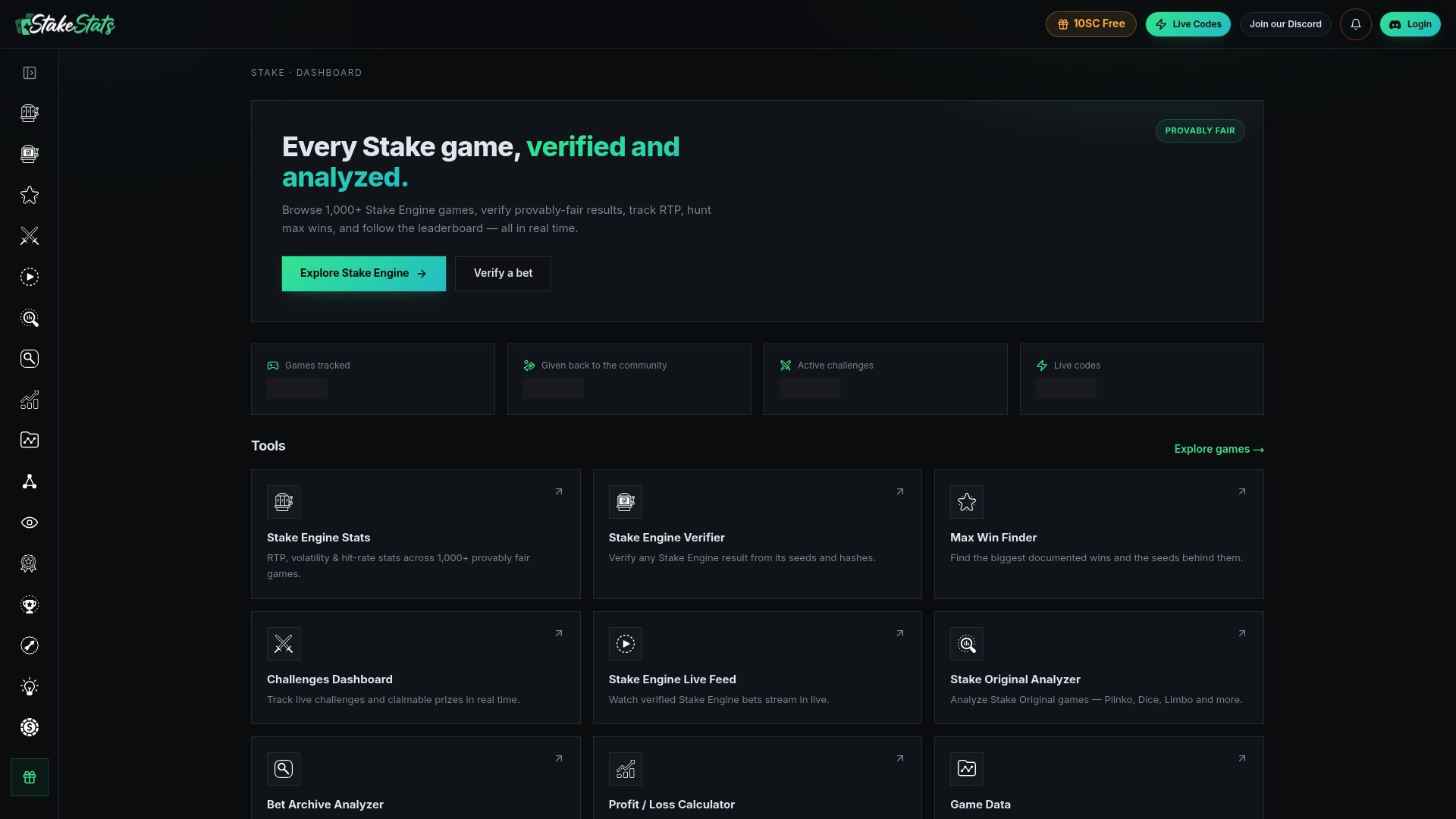
Two workflows cover most of what bettors need: run a bet ID through the provably fair verification tool to confirm a specific outcome matches its published fairness data, or import your CSV into the bankroll analyzer to get a clean net win or loss figure across any date range you choose, instead of adding rows by hand. If you've just downloaded a Game Archive file and aren't sure what the numbers actually mean, that's the moment to run it through Stakestats rather than leave it sitting in a folder.
Where to Go for Official Procedures and Tax Rules
For the exact steps and legal guidance behind everything covered above, go straight to the source rather than a summary:
- Copy your Sports Bet ID when you need to reference or dispute a single wager.
- Download the Game Archive as JSON when you need a bulk export for a date range.
- Review multi-bet settlement rules before recording parlay or same-game multi results.
- Read about the SGM bet tracker if you mainly need live tracking rather than a full export.
- Check IRS Topic 419 for the official rules on reporting gambling winnings and deducting losses.
This article is general information, not a substitute for advice from a qualified financial advisor. Consult a qualified financial professional about your own circumstances before acting on anything here.
Sources
- How to find your Sports Bet ID? | Stake Help Center
- What is a Multi Bet? | Stake Help Center
- Topic no. 419, Gambling income and losses | Internal Revenue Service
FAQ
How Do I Export My Full Bet History from Stake?
Use the Game Archive to download a JSON file covering your chosen date range, then convert it to CSV for spreadsheet use. For individual wagers, copy the Sports Bet ID or direct link from the My Bets page instead.
Does Stake Offer a Direct CSV Download?
Stake's native export comes as JSON through the Game Archive, not a direct CSV button, so you'll need a conversion step. Most spreadsheet programs and free online converters handle a JSON-to-CSV import in a few clicks.
What Fields Should I Keep for Tax Purposes?
Keep the bet ID, date, stake amount, payout, net win or loss, settlement status, and any related deposit or withdrawal transaction IDs. The IRS recommends contemporaneous records and supporting documentation like bank statements alongside these fields.
Can I Automate My Stake Exports?
Yes, through browser extensions that read the My Bets table or through API and Sheets imports for a more structured pipeline. Both methods carry pagination limits, so schedule pulls monthly or quarterly rather than trying to capture everything in one request.
How Does Stakestats Help After I Export My Data?
Stakestats lets you run an exported bet ID through a provably fair check or import a CSV into the bankroll analyzer to calculate net results. It works alongside your Stake export rather than replacing it, giving you a verification and analysis layer for records you've already downloaded.